
Instead of chasing a payout every time your balance grows, set up your capitalist virtual card withdrawal once and turn EZmob publisher earnings into a repeatable routine. This guide covers what you need, how to configure it, and how to keep it running through 2026.
- Capitalist virtual card withdrawal for EZmob earnings works best as a set-once routine: save the details, then withdraw on a fixed schedule.
- Match the payout currency and the Capitalist account details exactly before the first withdrawal.
- Confirm limits, fees and timing inside your EZmob dashboard and your Capitalist account. This guide does not quote them.
- Best for publishers who want ad earnings on a card without a bank transfer in the middle.
Why this matters
Publisher income from pop, push, display and native traffic arrives as a balance in your dashboard. The balance does nothing until it reaches the place you spend it. Every manual step between the two costs time and invites typos in payment details.
EZmob is a self-serve ad network: advertisers buy pop, push, display, native and video traffic, and website and app owners monetize their traffic as publishers. If you are on the publisher side, withdrawals are the part of the workflow you touch most often after the ad code is live.
A Capitalist virtual card gives you a card number to spend with online, which suits publishers who pay for hosting, tools, proxies or traffic sources and want earnings to land close to those expenses.
Verdict: if you already hold a Capitalist account and pay for online services, withdrawing EZmob earnings to a Capitalist virtual card is a sound setup. If you do not use Capitalist today, do not open an account just for this.
Before you start
- A publisher account on EZmob with ad inventory live and a balance to withdraw.
- A verified Capitalist account with a virtual card issued, so you can copy the exact account or card identifier you will paste into your payout settings.
- The gotcha: payout details must match character for character, including the currency. A wrong identifier or a currency mismatch is the most common reason a first withdrawal stalls. Copy and paste the details, never retype them.
Check two things before you configure anything:
- Which payout methods your EZmob publisher dashboard lists. Capitalist must appear there as an option.
- Whether your account offers a scheduled or automatic payout setting. Not every account type or program has one, and this guide does not assume it.
If the dashboard does not list Capitalist, contact EZmob support before you build a routine around it.
Set up your payout details
The goal of this unit is a saved payout method you never have to touch again.
- Log in to your EZmob publisher account.
- Open the section of the dashboard that holds your payment or payout settings.
- Choose Capitalist from the list of payout methods.
- Paste the account or card identifier from your Capitalist account into the matching field.
- Select the payout currency that matches your Capitalist account.
- Save the settings.
Expected result: the dashboard shows Capitalist as your active payout method with the identifier you entered. Open the saved details once more and compare them against Capitalist, character by character.
Prepare the Capitalist side
This unit makes sure funds can land and be spent.
- Log in to Capitalist and open your virtual card.
- Confirm the card is active and not frozen or expired.
- Check the account's receiving currency and any limits shown in your account.
- Note where incoming transfers appear in your history so you can verify the first payout.
Expected result: you can find the receiving account in Capitalist and you know where a deposit will show up.
Make withdrawal repeatable
Treat "automatic" as an outcome, not a single button. Two routes get you there.
Route 1: use a scheduled payout setting if your account has one
If your dashboard shows an option to pay out on a schedule or at a balance threshold, enable it and pick the Capitalist method you saved. This is the closest thing to hands-off. Read the exact terms shown on screen, including any minimum and timing, before you switch it on.
Route 2: build a fixed manual routine
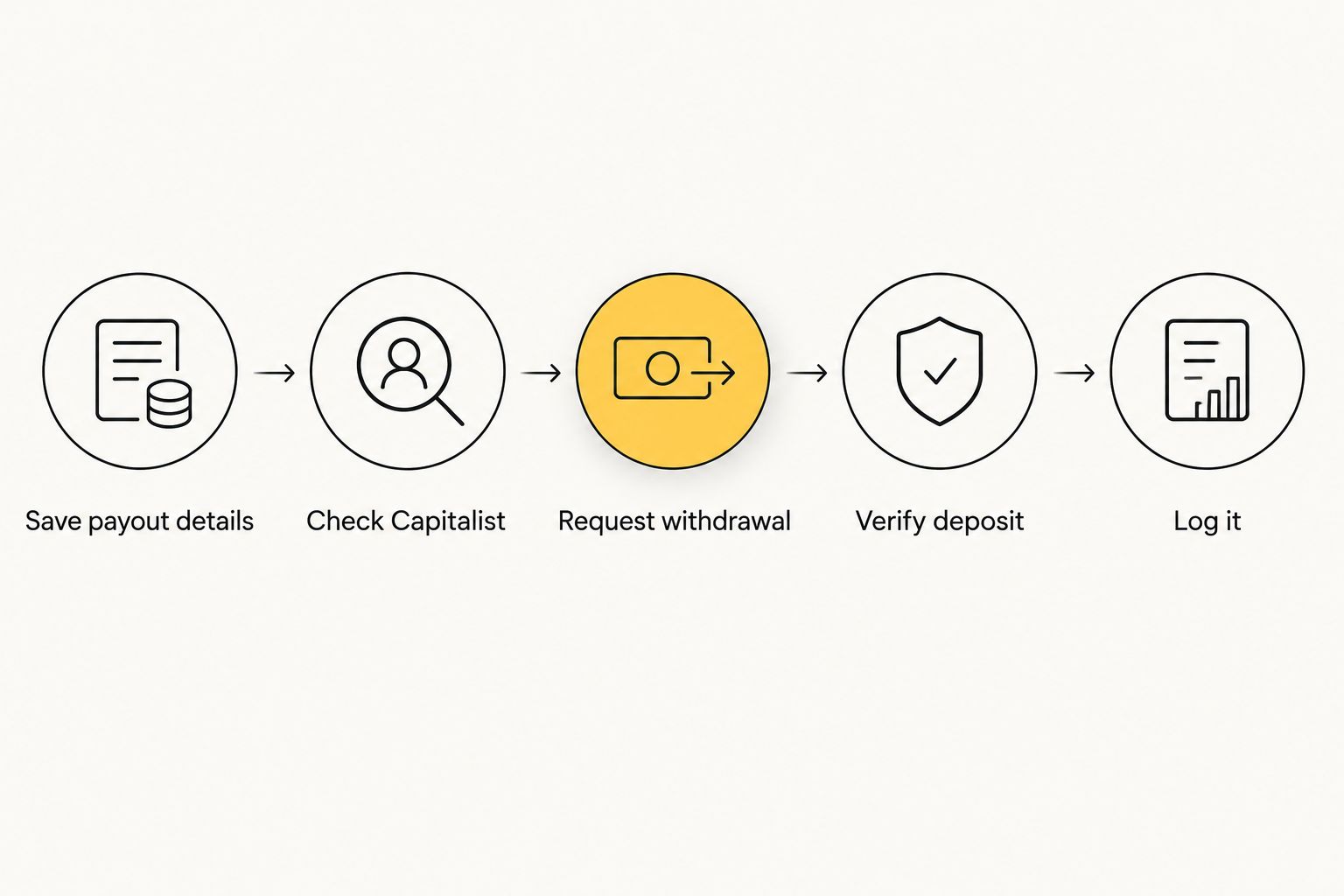
If there is no scheduling option, the routine does the same job:
- Pick a fixed day, for example the first working day of each month.
- Check your balance and the stats for the period.
- Request the withdrawal to Capitalist.
- Check the Capitalist history for the deposit and note the date.
- Log the amount, date and any fee in a simple sheet.
A fixed day beats "when I remember". It also gives you a clean record for taxes and for comparing earnings against what you spend on traffic and tools.
Second variant: withdraw only when the balance justifies it
Small publishers often get better results by waiting. If fees or minimums apply to your payouts, one larger withdrawal usually beats several small ones.
- Set a balance target that makes a withdrawal worth the effort.
- Review the balance on your fixed day. Below the target, skip and check again next period.
- Above the target, withdraw the full amount.
This variant also works as a safety margin: you keep a buffer in the network balance while you test new placements or formats. If you are still deciding where to place inventory, the best publisher ad networks for website monetization guide compares your options.
Troubleshooting
- The first withdrawal does not show up in Capitalist. Compare the identifier saved in EZmob with the one in Capitalist. One wrong character is the usual cause. Then check the payout currency.
- Capitalist is not listed as a payout method. Your account or region may not have it enabled. Ask EZmob support which methods are available to you.
- The withdrawal request is rejected. Check that your balance meets the minimum shown in the dashboard and that your account details are complete.
- The deposit arrives smaller than expected. A fee or currency conversion is the likely cause. Read the fee terms on both the EZmob and Capitalist sides, and log the difference.
- The card cannot be used after the deposit. Check the card status and limits inside Capitalist. The money may have arrived while the card itself is restricted.
If none of these fits, send support the withdrawal date, the amount and a screenshot of your saved payout settings with sensitive digits hidden.
Compare payout routines
| Routine | Best for | Pros | Cons |
|---|---|---|---|
| Scheduled payout (if available) | Publishers with steady traffic | Least manual work | Terms are fixed by the program; check them first |
| Fixed-day manual withdrawal | Most publishers | Predictable, easy to record | Needs a calendar reminder |
| Threshold-based manual withdrawal | Small or growing publishers | Fewer small transfers | Money sits in the network balance longer |
Best for: the fixed-day routine suits most publishers in 2026, because it works whether or not a scheduling option exists.
Customize your workflow
Once the Capitalist payout runs smoothly, extend it:
- Add a monthly line in your sheet comparing earnings to your own costs.
- If you run a blog, the website monetization for bloggers guide covers how to put more of your pages to work.
- If you also buy traffic, you can link the earning side and the spending side: payouts land on the card you pay for tools with.
- Review the setup yearly. Payment methods, limits and terms change, and a 2026 setup should be re-checked against the terms shown at the time you use it.
Explore EZmob
Self-serve pop, push, display and native traffic for advertisers and publishers.
FAQ
Can I withdraw EZmob earnings to a Capitalist virtual card?
Only if Capitalist appears as a payout method in your EZmob publisher dashboard. Check the payment settings in your account, and ask support if it is missing.
Is the capitalist virtual card withdrawal fully automatic?
It is automatic only if your dashboard offers a scheduled payout option. Otherwise a fixed-day routine gives you the same predictability.
What is the most common reason a withdrawal fails?
A mismatch in payout details or currency. Copy the identifier from Capitalist and paste it, then confirm the currency matches.
How long does a Capitalist payout take?
Timing depends on the terms shown in your EZmob dashboard and your Capitalist account. Log the request date and the deposit date for your first withdrawals to learn your own timing.
Are there fees on Capitalist withdrawals?
Fees may apply on either side. Read the terms shown in both accounts before your first withdrawal, and record any difference between the amount requested and the amount received.
Should I withdraw often or wait for a larger balance?
If fees or minimums apply, one larger withdrawal usually beats several small ones. Set a balance target and review it on a fixed day.
One last thing
The first withdrawal is your test. Send a modest amount, confirm it lands in Capitalist, and only then commit to the routine. A tested setup in 2026 saves you a stuck payout later.
Related guides
Ready to earn from your traffic? Monetize your traffic with EZmob.