
Affiliate marketers' popunder advertising is paid traffic that opens a landing page behind the active browser window, with the aim of generating approved affiliate conversions. Use popunder traffic for affiliate marketers only when the offer permits it and your tracking separates profitable placements from traffic that produces no approved revenue.
- Popunder traffic for affiliate marketers needs offer permission, placement-level tracking, and approved CPA measurement.
- EZmob suits affiliate marketers who want self-serve access to popunder campaigns.
- Test one offer and GEO before expanding; separate browser arrivals from approved affiliate conversions.
- Choose popunder, push, or native according to the user journey, not traffic volume alone.
Why popunder traffic matters for affiliate marketers
Popunder traffic starts with an interruption, not a search for your offer. The visitor reaches your page without choosing a search result or clicking a banner that explains the proposition. Your landing page must supply that missing context immediately.
For an affiliate, the buying decision also depends on someone else's rules. The affiliate program controls permitted traffic, conversion approval, and payment eligibility. A campaign that records leads but violates those rules is not a winning campaign.
Judge popunder traffic by approved acquisition cost, not browser openings. For the economics behind that decision, read the guide to buying pop traffic profitably.
Your 2026 test plan should answer a narrow question: can a permitted offer convert visitors from identifiable placements at an acceptable acquisition cost? Keep the initial setup simple enough to explain the result. Adding more GEOs, offers, and landing pages before tracking works makes the answer harder to find.
How to build a popunder affiliate campaign
1. Confirm the offer's traffic rules
Start with the affiliate program's terms and a written record of the offer requirements. A spreadsheet is enough to record allowed formats, eligible GEOs, device restrictions, and the action that earns an approved commission. Do this before buying traffic.
An offer appearing in an affiliate dashboard does not establish permission to send popunder traffic. Check the offer-specific rules, including restrictions on redirects, landing-page claims, and incentivized actions. Request clarification when the format is not explicitly addressed.
Match the visitor's experience to the offer's requirements. A campaign aimed at mobile users needs a working mobile conversion path; a location-restricted offer needs eligible visitors. Unsupported claims on a prelander remain your responsibility even when the final offer page belongs to someone else.
- Record explicit popunder permission and prohibited traffic methods.
- Match the campaign GEO to the offer's eligible locations.
- Check device and browser requirements before choosing inventory.
- Save the rules governing landing-page claims and disclosures.
- Define the approved conversion event, not just the initial submission.
2. Validate the complete tracking path
Manually open the campaign destination, follow every redirect, and inspect the final offer page. Use browser developer tools and your existing reporting to identify broken destinations, lost parameters, or pages that fail on the intended device. A working homepage is not a complete tracking test.
Your tracking setup must connect the purchased visit to the affiliate outcome. Where the buying platform provides placement or source identifiers, preserve them through the tracking path. Where the affiliate program supports conversion callbacks, configure the documented integration rather than guessing parameter names.
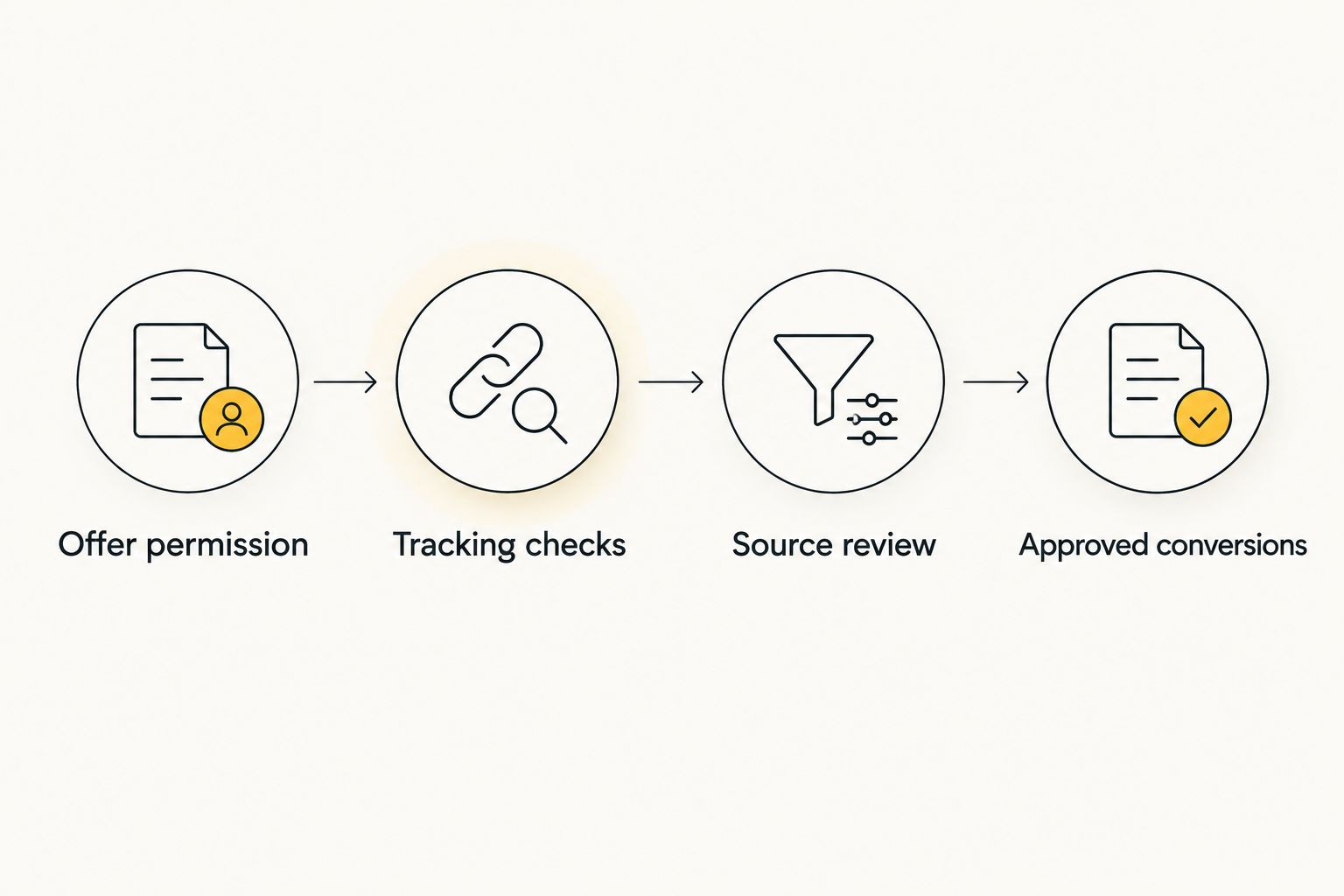
Build your 2026 reporting around these checkpoints: Offer permission, Tracking checks, Source review, and Approved conversions. A tracker improves attribution only when identifiers survive the redirect chain and conversion status reaches the report.
- Verify that the destination loads on the intended device.
- Check that redirects preserve the required tracking parameters.
- Record source identifiers where the platform exposes them.
- Validate the conversion integration using its documented test method.
- Separate pending, rejected, and approved conversions in reporting.
3. Choose the buying setup that fits your work
Write down your required format, GEO, reporting fields, and campaign controls before comparing networks. A manual checklist prevents a long feature list from distracting you from the requirements that determine whether you can run and evaluate the offer.
EZmob is best for affiliate marketers who want self-serve popunder buying alongside push, display, and native campaigns. Advertisers can register, fund an account, and launch campaigns themselves without a sales call. New campaigns go through creative moderation before going live.
Self-serve access removes the sales-call requirement; it does not remove campaign work. You still need offer permission, a working conversion path, and a plan for evaluating inventory. Confirm the available controls in the campaign interface before building a strategy around them.
- Check that the required format is available for your campaign.
- Verify GEO and device settings against the offer requirements.
- Inspect the reporting fields needed for source-level decisions.
- Prepare the destination and creative for moderation.
- Choose the setup you can operate and audit without guesswork.
4. Build a landing page for interrupted attention
Sketch the page in a document before changing your site. State the offer, explain who it serves, and identify the next action. Remove anything that does not help a visitor understand why the page opened or what happens after proceeding.
Popunder visitors have not clicked an explanatory ad. The opening screen therefore needs a clear proposition rather than a long introduction. Keep the language consistent with the final offer page, especially when the conversion requires registration, installation, or personal information.
A prelander gives you space to explain the offer, but it also adds another step and another place for tracking to fail. Direct linking removes that intermediate page but leaves the explanation to the advertiser's destination. Choose deliberately; neither route guarantees better CPA.
- Put the offer explanation before secondary content.
- Use a clear action label that describes the next step.
- Check page loading and usability on the target device.
- Remove misleading alerts, fake system messages, and unsupported claims.
- Compare the prelander and final destination for consistent promises.
5. Set boundaries before the campaign launches
Use a spreadsheet to define your acceptable acquisition cost, test allocation, and review conditions. Base the limits on the actual offer economics and the money you have authorized for testing. Do not copy another buyer's bid or stopping rule without understanding their offer.
For a 2026 campaign, record what you will change when results disappoint. A rule written before launch is easier to follow than a decision made while watching spend accumulate. Separate technical failures from unprofitable traffic: a broken destination needs repair, not a higher bid.
Start with a narrow campaign structure. One offer and one GEO make the first result easier to interpret. Expand only after you can explain which sources produced approved conversions and whether those outcomes justify the acquisition cost.
- Define the acceptable CPA using approved affiliate revenue.
- Assign a test allocation that you are prepared to lose.
- Write pause conditions for broken tracking or rejected traffic.
- Keep materially different GEOs in separate reporting groups.
- Record bid changes and their reasons in a campaign log.
6. Review sources before increasing bids
Export the available campaign report and compare it with your affiliate reporting. Use a spreadsheet to group spend, visits, and approved conversions by the source identifiers available to you. Campaign-level averages hide the difference between productive and unproductive placements.
Calculate approved CPA as advertising spend divided by approved conversions. When a reporting group has no approved conversions, mark it as unproven rather than assigning a misleading CPA. Check the affiliate program's approval timing before treating pending events as final results.
Higher bids do not repair a landing page that misrepresents the offer. Diagnose the failure first: no arrivals suggests a delivery or tracking issue; arrivals without progress require a page and audience review; submitted but rejected conversions require an offer-quality review.
- Group results by available source and placement identifiers.
- Reconcile platform reporting with affiliate conversion status.
- Exclude rejected events from approved CPA calculations.
- Review poor sources before changing the whole campaign.
- Adjust one major variable at a time and log the change.
7. Expand only what you can reproduce
Keep a manual campaign log that records the source mix, destination, GEO, device settings, and conversion status behind a winning result. Replication requires the setup, not just a screenshot of the campaign total.
Your 2026 expansion plan should isolate each new question. Increasing spend tests whether the existing setup holds under greater delivery; adding a GEO tests a different audience; changing the page tests a different conversion path. Combining these changes prevents a clean diagnosis.
EZmob offers self-serve access to several formats, but a profitable popunder campaign is not proof that push or native will perform the same way. Those formats introduce different user interactions and creative requirements. Treat each expansion as a separate campaign hypothesis.
- Save the settings behind approved profitable conversions.
- Expand the existing setup before mixing in unrelated offers.
- Recheck offer eligibility when adding a new GEO.
- Validate tracking again after changing the destination.
- Give each new format its own reporting and decision rules.
Compare traffic options for your affiliate offer
Choose a format according to how much explanation the visitor needs before reaching the offer. In 2026, your comparison should focus on the user journey, reporting, and permitted traffic—not a generic claim that one format always converts better.
| Option | Best for | Practical strength | Key limitation |
|---|---|---|---|
| Popunder | Affiliates testing a standalone landing-page proposition | Opens the destination without requiring a banner click | Visitors arrive without an explanatory ad click |
| Push | Affiliates with a concise message and clear next action | Presents a message before the destination visit | Requires suitable messaging and offer permission |
| Display/banner | Affiliates who need a visual proposition before the visit | Lets the creative explain the offer before a click | Adds banner production and creative evaluation |
| Native | Affiliates using an explanatory content-led path | Supports a headline-led introduction to the destination | Requires consistency between the headline, content, and offer |
| EZmob self-serve buying | Media buyers who want access to several formats without a sales call | Supports popunder, push, display, and native campaign buying | Campaign moderation, tracking, and optimization still require work |
The last row is a buying setup, not another ad format. Select the format first, then check whether the platform supports the campaign you intend to run. Do not confuse access to inventory with evidence that your offer will convert.
Common mistakes affiliate marketers make
Treating an offer listing as traffic permission
An affiliate listing confirms that an offer exists, not that every acquisition method is allowed. Verify popunder permission before launch. Keep the offer-specific rules with your campaign notes so a later change does not escape review.
Optimizing for submitted leads instead of approved conversions
A submission is not necessarily commissionable. Review approval status before calling a source profitable, and use the same conversion definition across campaign reports. Otherwise, your apparent winner can disappear when rejected events are removed.
Sending interrupted visitors straight to a complex decision
A page that assumes prior interest leaves popunder visitors without context. Explain the proposition before asking for an involved action. If you use a prelander, make sure its promise matches the final offer rather than manufacturing urgency.
Blending unrelated inventory into one average
A campaign total cannot tell you which placement deserves more spend. Preserve source identifiers where available and separate materially different GEOs or devices. Make the reporting structure reflect the decisions you actually need to take.
Scaling while the result is still unresolved
Pending conversions, broken parameters, and unreviewed source mixes are not reasons to raise bids. Resolve those questions first. A larger campaign magnifies the same uncertainty; it does not validate the original result.
FAQ
What is popunder traffic for affiliate marketers?
Popunder traffic opens an affiliate landing page behind the active browser window. The affiliate buys those visits with the aim of generating conversions that the offer owner approves.
Is popunder traffic profitable for affiliate offers?
Popunder traffic is profitable when approved affiliate revenue exceeds the campaign’s costs. Evaluate the permitted offer, actual source mix, and approved conversions rather than relying on browser arrivals.
What’s the best popunder setup for a beginner affiliate?
Start with a permitted offer, one GEO, a working destination, and validated conversion tracking. Keep the first campaign narrow enough to identify why each source succeeds or fails.
Is popunder better than push for affiliate campaigns?
Neither format is universally better for affiliate campaigns. Popunder opens the destination without an explanatory ad click, while push presents a message before the visit; compare them using your offer rules and approved CPA.
Do I need a prelander for popunder traffic?
A prelander is not automatically required for popunder traffic. Use one when the visitor needs an explanation that the final offer page does not provide, provided the affiliate program permits that path.
How do I measure popunder campaign performance?
Measure advertising spend against approved conversions and revenue. Preserve available source identifiers, reconcile affiliate conversion status, and keep pending or rejected events separate.
Can I launch popunder campaigns on EZmob myself?
EZmob lets advertisers register, fund an account, and launch campaigns without a sales call. New campaigns go through creative moderation before going live, and the advertiser remains responsible for tracking and offer compliance.
One last thing
A converting source and an approved converting source are not the same thing. Before increasing spend in 2026, check whether the result survived the affiliate program's approval process. That distinction belongs in your campaign report, not in a later explanation for missing revenue.
Related guides
Ready to build the campaign? Start advertising on EZmob with a permitted offer, validated tracking, and a written test plan.